Interview Proposal with Ben Claremont, 360 Camera Expert — Honest Take on the Insta360 X5
The Insta360 X5 has dominated conversations among creators, photographers, and virtual tour professionals since its launch. I sat down with Ben Claremont — a reviewer who has tested every Insta360 model and publishes unsponsored reviews — to unpack the practical strengths, limitations, and real-world use cases for the Insta360 X5. Below is a detailed interview-style breakdown that covers design, image quality, low-light performance, workflow, pricing, and the ethical questions surrounding sponsored reviews. If you’re considering the Insta360 X5, this conversation will give you the clarity you need to decide whether to buy now or wait.
Can you start by summarizing who you are and why your opinion on the Insta360 X5 matters?
I've reviewed every single 360 camera Insta360 has ever released and, importantly, I don't accept sponsorship for review videos — a deliberate choice to avoid conflicts of interest. That independence lets me focus on real performance rather than marketing. Clients and creators ask me about practical outcomes: image quality, workflow speed, durability, and whether a new model is worth upgrading to. For the Insta360 X5, my testing focused on exactly those areas so you can make a buyer's decision that isn't swayed by paid promotion or hype.
First impressions: what stands out about the Insta360 X5’s design and ergonomics?
The Insta360 X5 looks familiar at a glance, but it’s been refined in thoughtful ways. It retains the familiar shape and touchscreen interface, but a few changes make day-to-day use smoother. The touchscreen is large and responsive, and the power and quick-settings button layout is intuitive. The charging port is a USB-C behind a watertight door, and the battery compartment houses the SD card for easy access. The X5 feels slightly bigger and a touch heavier than the X3 but not so much that portability suffers.
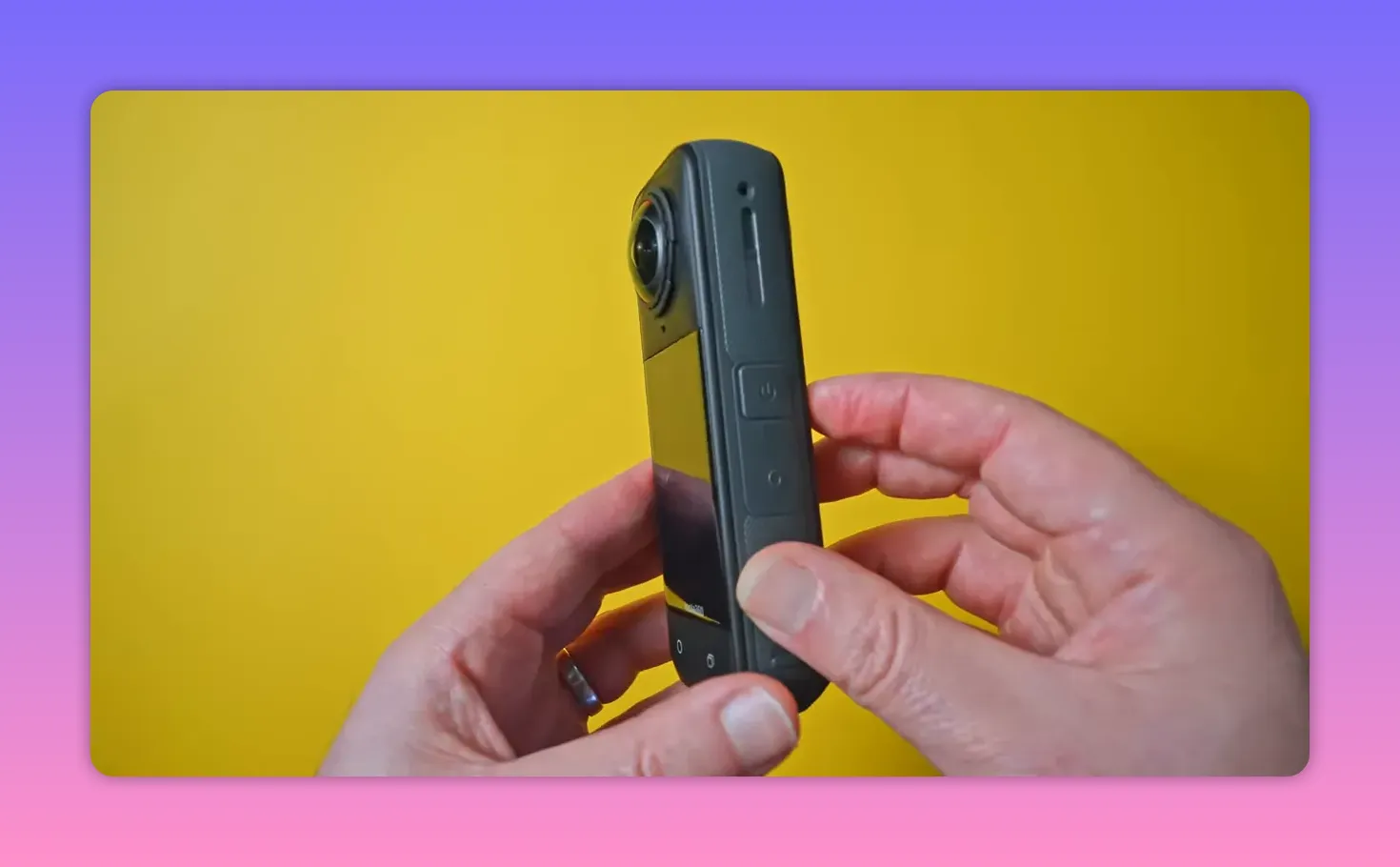
Microphones surround the body for omnidirectional capture, and there's a small windshield to reduce wind noise. Small changes, like moving the charging door and increasing battery size slightly, contribute to a more practical user experience for creators on the move. The camera turns on almost instantly — one second — which, when you combine it with other small time savings, makes for a noticeably faster workflow.
What is the single biggest physical upgrade in the Insta360 X5?
Replaceable lenses. This has been one of the most requested features from the Insta360 community for years, and the X5 finally delivers. Insta360 ships a lens replacement kit that includes a simple tool to remove and replace lenses in seconds. I literally changed a lens in 20 seconds. That matters because lens damage was a recurring pain point in earlier models; now, instead of sending the whole camera for servicing, a user can swap the lens and keep shooting.
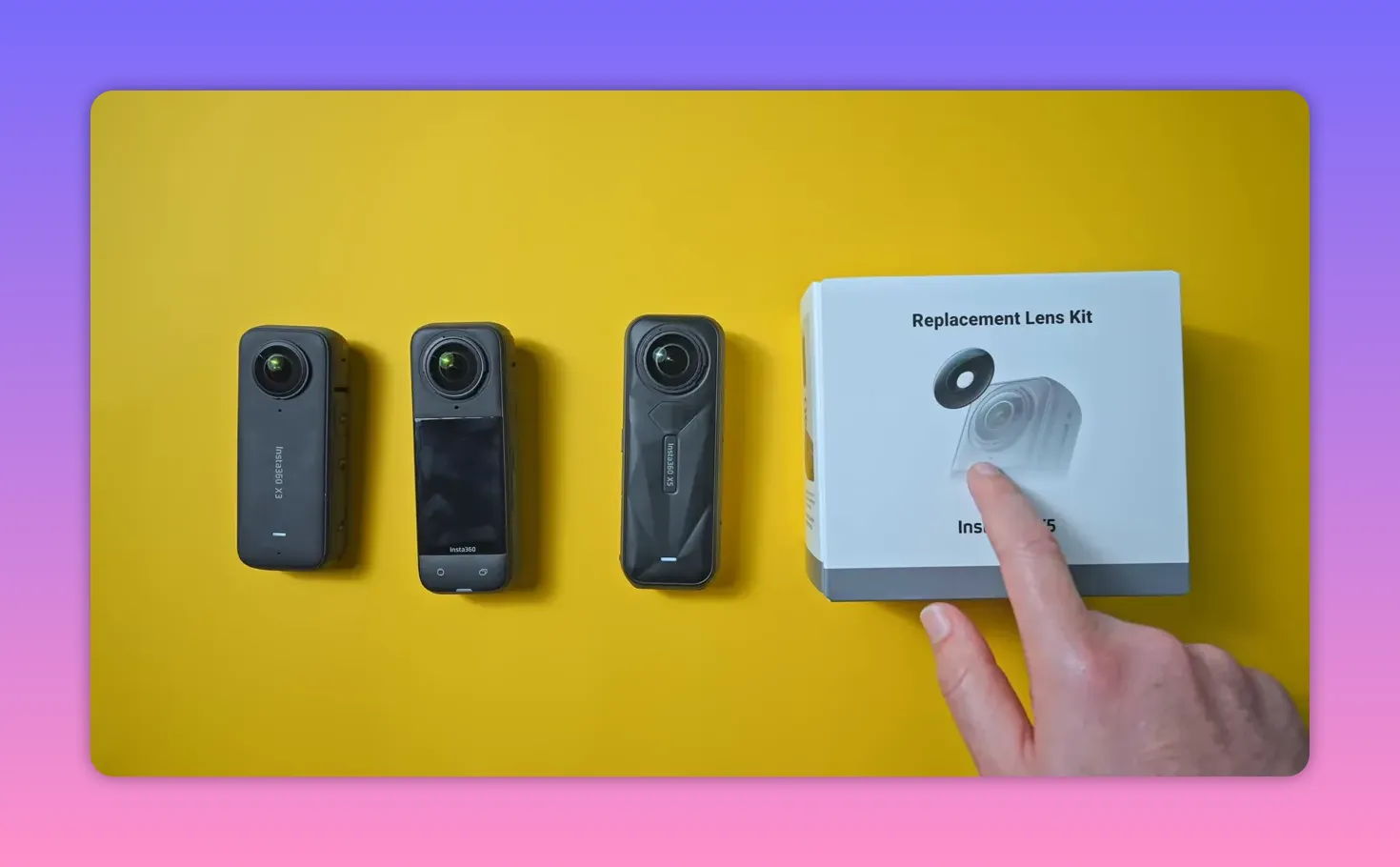
Replacement lenses are sold at a very accessible price on Insta360’s store — around $30 — and that dramatically reduces both downtime and long-term ownership costs. If you plan to use the camera in active environments (skateboarding, travel, hiking), this design change alone is worth attention.
How does battery life and charging perform in everyday use?
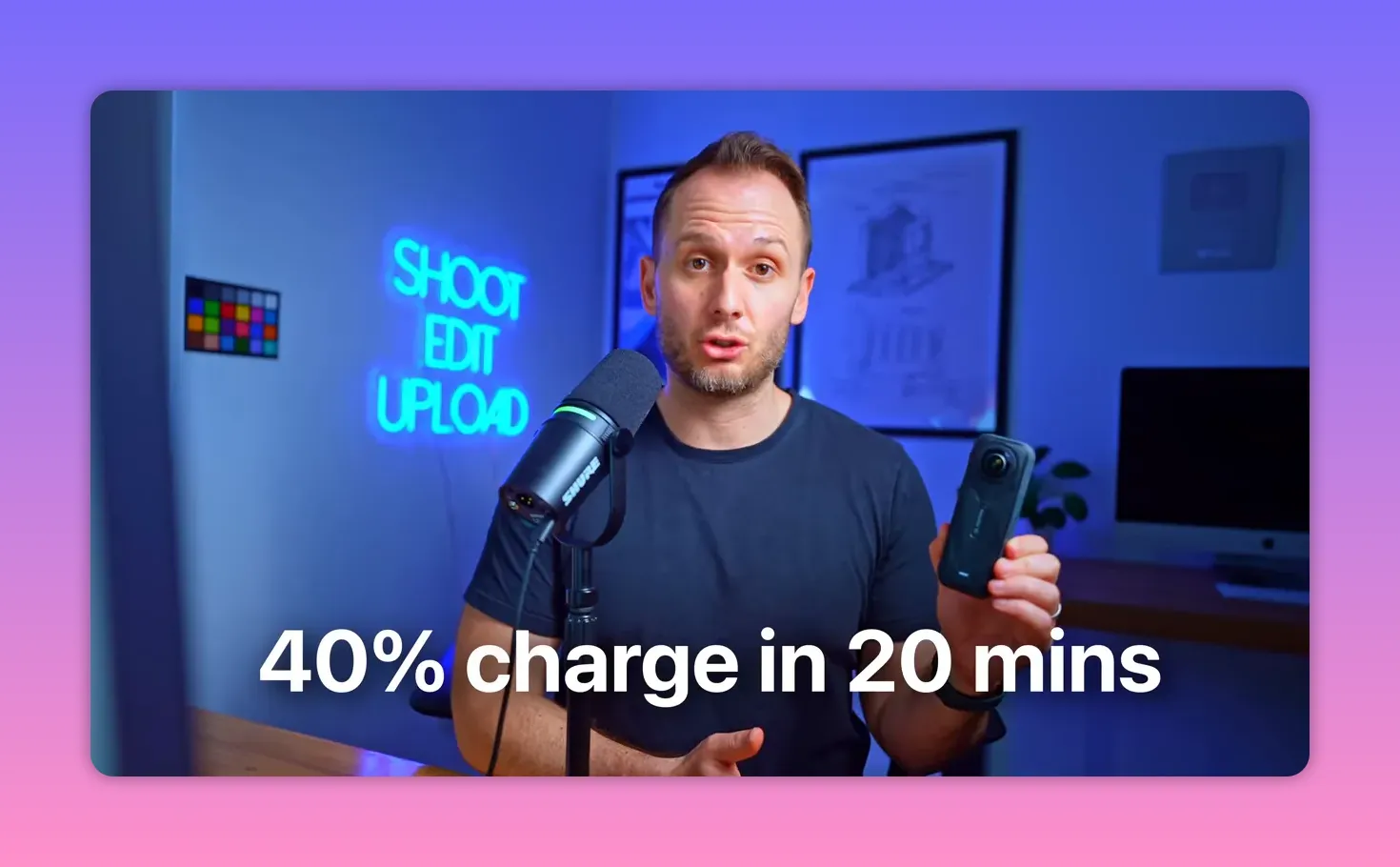
Battery life is solid — the X5 can last most of a shooting day if you power it off between takes. Insta360 advertises a fast charge: 80% in 20 minutes. In my testing, 20 minutes yielded about 40% charge, which is still a very useful top-up during a break. In short, battery life is dependable and fast-charge performance is good, though not quite as optimistic as the spec sheet claims.
Are accessories backward compatible with older Insta360 cameras?
Most body-hugging accessories that rely on precise camera dimensions will not be compatible with older Gen models because dimensions and port placement have changed. Standard accessories like tripods, selfie sticks, and general mounts still work, but if you depend on specialized mounts, check compatibility before upgrading.
Tell us about the hardware specs — what’s new under the hood?
The headline spec change for the Insta360 X5 is the sensor upgrade. The X5 uses dual 1/1.28" sensors, a meaningful jump from the half-inch sensors used in the X4. Insta360 markets this as a 144% increase, though another way to say it is roughly 44% larger than the prior sensors. Practically, that translates into less noise, improved dynamic range, and better low-light performance for both photos and video.
Resolution-wise the X5 continues to offer 8K at 30fps and 5.7K at 30/60fps — the same resolution/frame-rate choices as the X4. So if you were expecting a big bump in resolution specs, that’s not where the upgrade landed. The real gains are in sensor quality and processing.
How do the images and videos compare to previous Insta360 models?
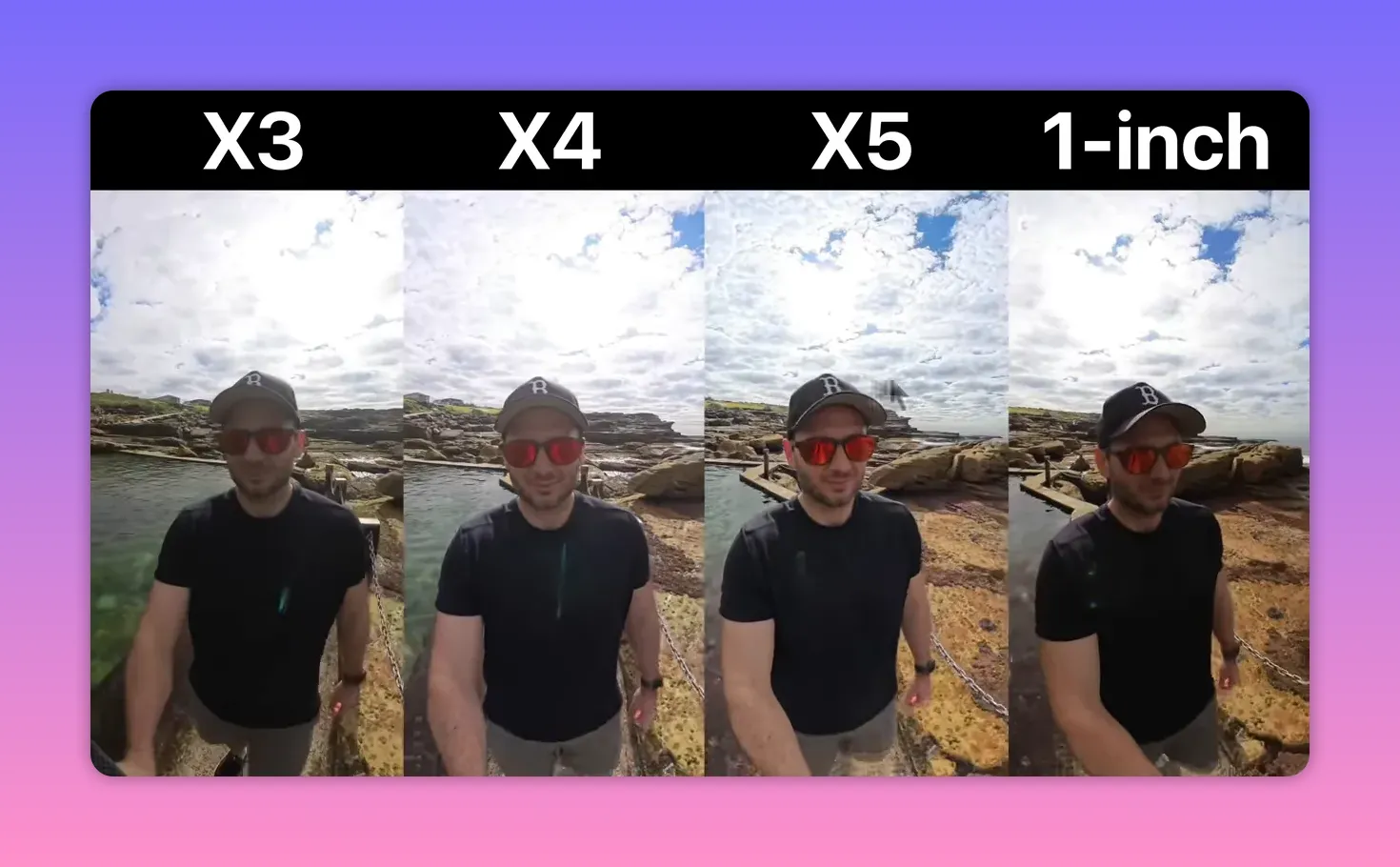
When placed side-by-side with the X4, X3 and the 1 RS1 (a one-inch sensor model), the X5 consistently produces images with better dynamic range, punchier colors, and reduced noise — particularly when zooming in. On tightly cropped or heavily zoomed regions, the difference is very clear: far less noise and better edge detail. The X5 is more than a small incremental step; for many scenarios it’s noticeably improved.
With 8K and 5.7K options available, which mode should creators use?
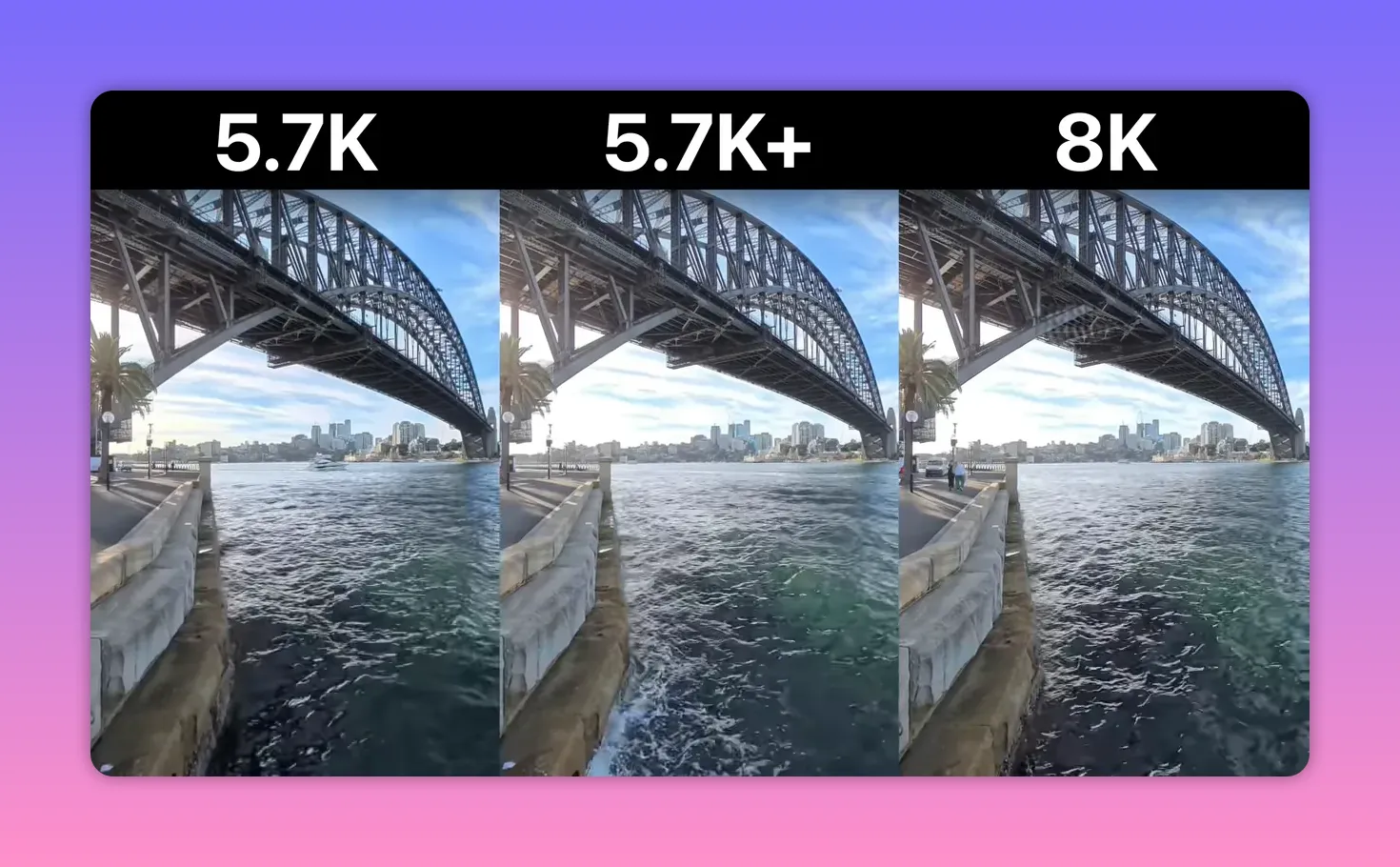
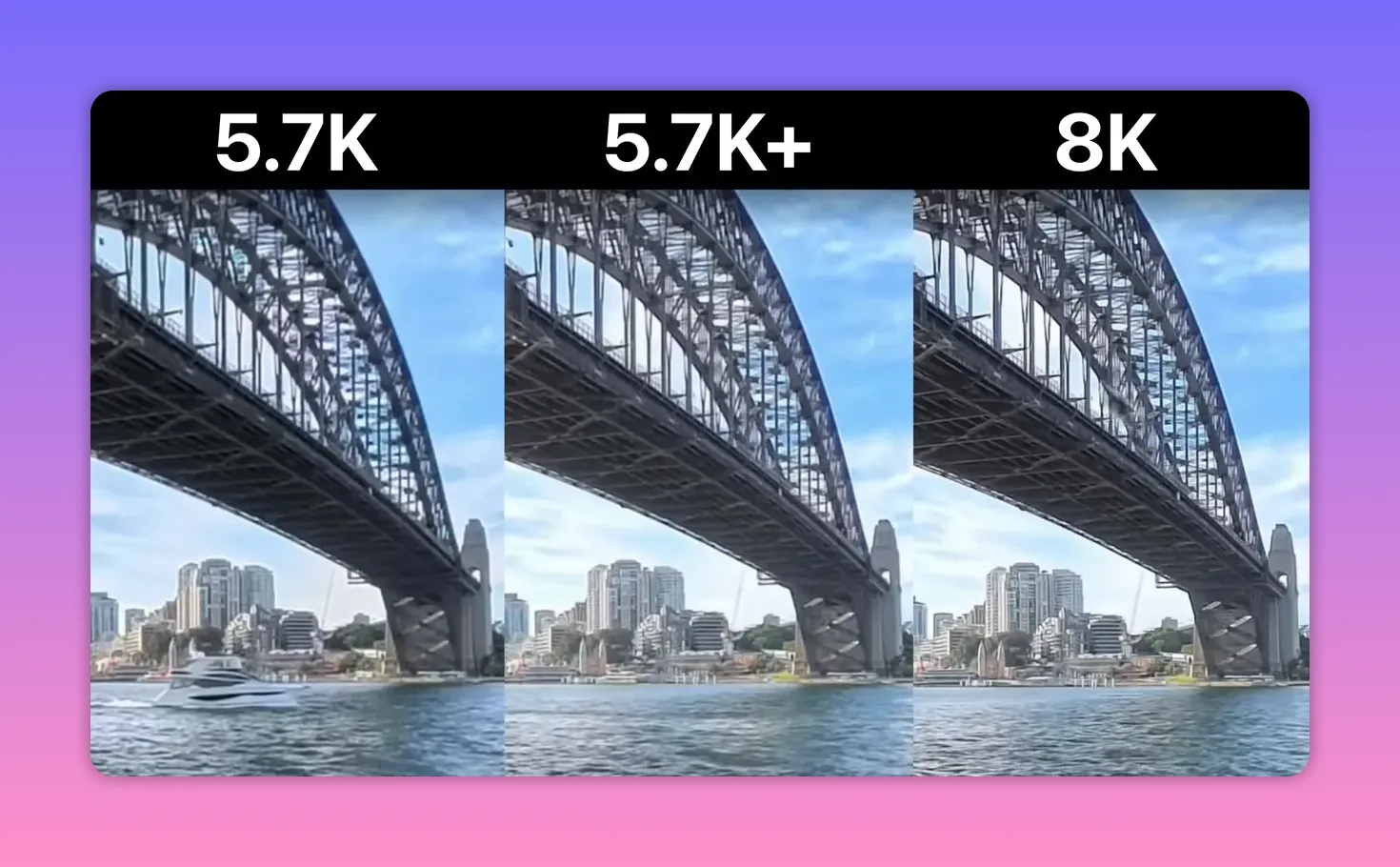
There are three primary 360 video choices: 8K 30fps, 5.7K (30/60fps), and 5.7K+. Visually, the differences between these modes can be subtle for many use cases. Wide shots look very similar across modes, and unless you pixel-peep or punch into fine details, you'll often be satisfied with 5.7K. If you need the sharpest possible fine detail — think signage or distant texture — 8K has an advantage. However, 5.7K at 60fps with active HDR turned on often produces extremely natural, crisp footage that many viewers find more immersive due to the smoother motion.
Are there any image issues or artifacts to be aware of?
Yes — at extreme zoom levels some scenes displayed a faint strobing/moire-like effect on fine patterns (I noticed it on a bridge shot). It’s subtle in wide footage and likely invisible in most delivery contexts, but when you magnify heavily it can appear. Also, some nighttime pure-video edge handling around bright light sources needs refinement; you may see less-than-perfect edge transition near bright street lights.
How effective is Active HDR and when should it be used?
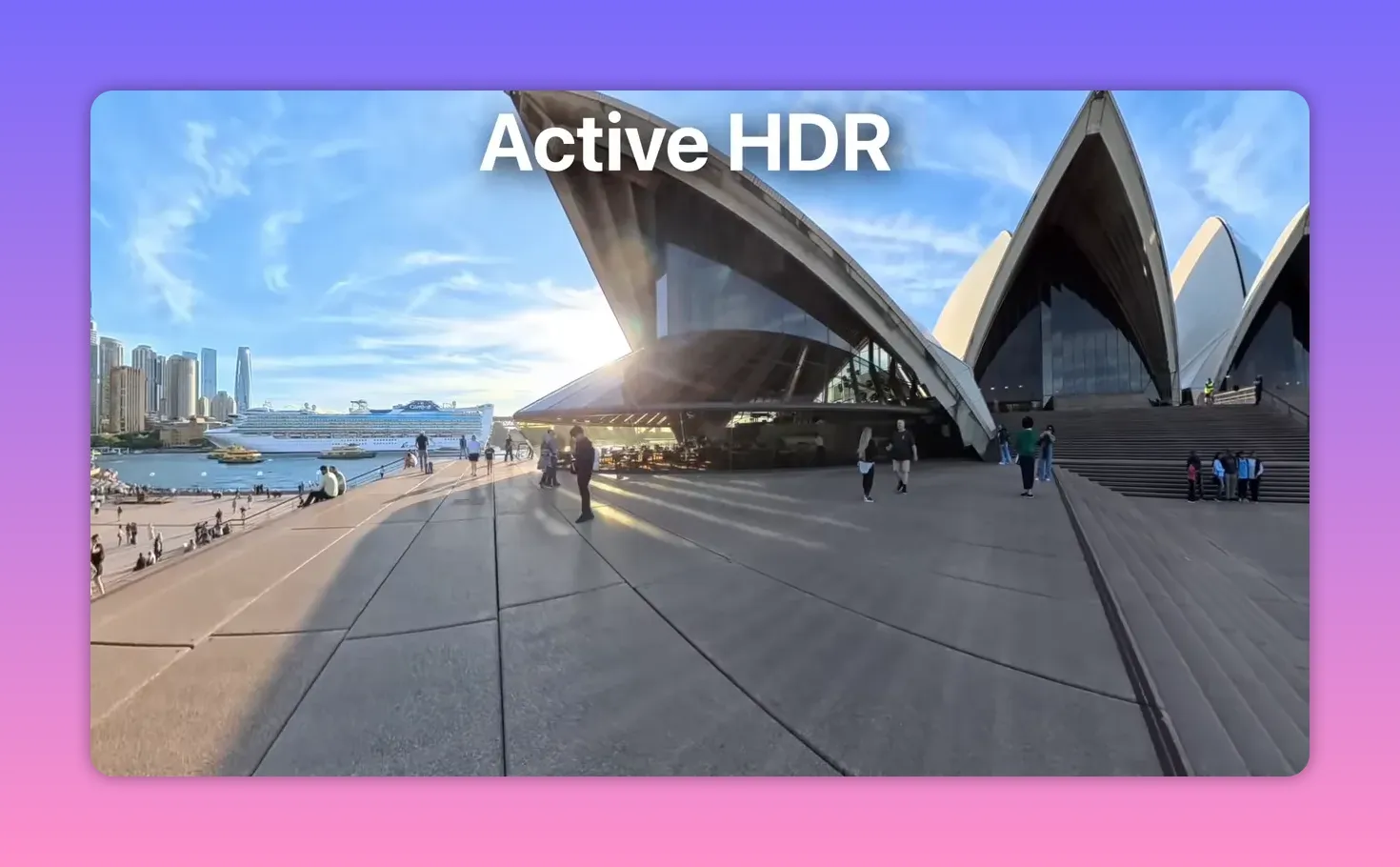
Active HDR is the X5’s video HDR implementation. In scenes with pronounced contrast — direct sun and deep shadows — it recovers blown highlights and balances exposure. That said, the difference isn’t always dramatic. In some scenes Active HDR clearly helps, while in others the benefit is marginal. The practical takeaway: test it for high-contrast outdoor scenes and keep it enabled when you want less risk of blown highlights; for controlled lighting environments you may not need it.
What about frame rates — does 60fps make a real difference?
Yes. Shooting at 60fps in 5.7K combined with Active HDR produces remarkably realistic footage. Motion looks smoother and edges feel crisper, giving a sense of presence that’s especially appealing for POV-style and walkaround shots. If you prefer cinematic 24–30fps, you’ll disagree, but for many creators 60fps at 5.7K delivers superior perceived clarity and realism.
Can the Insta360 X5 shoot quality slow-motion footage?
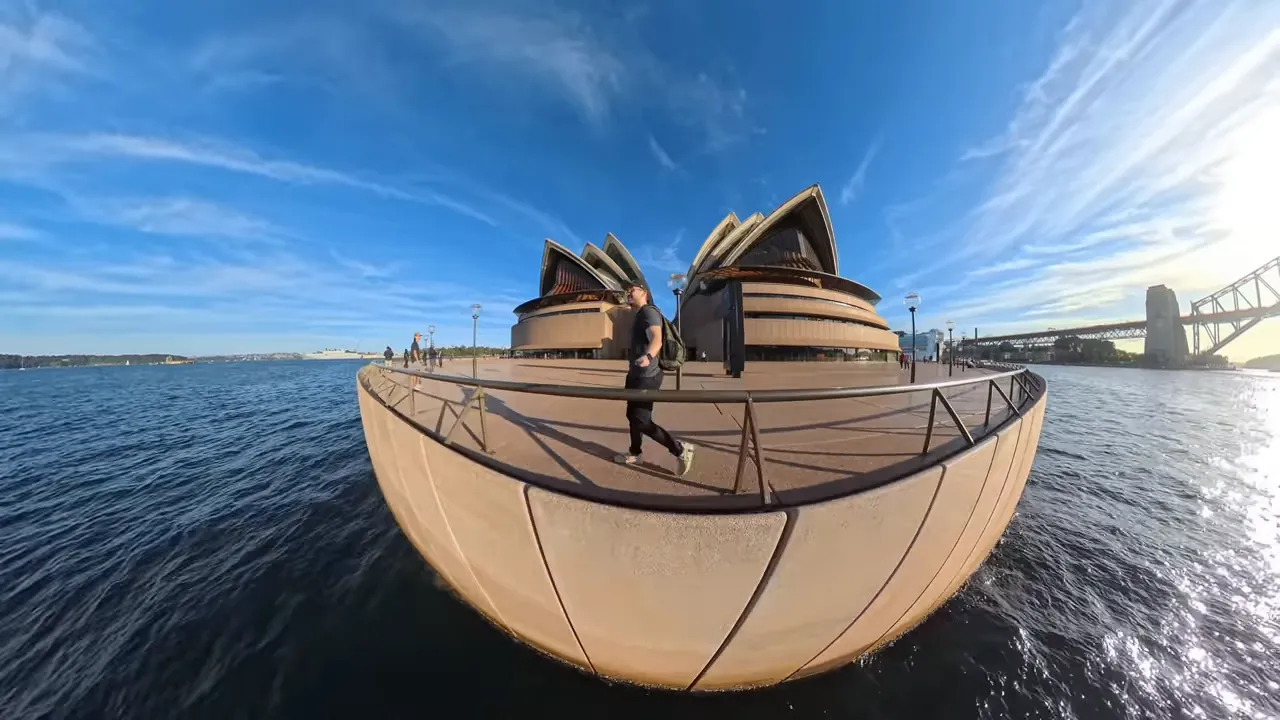
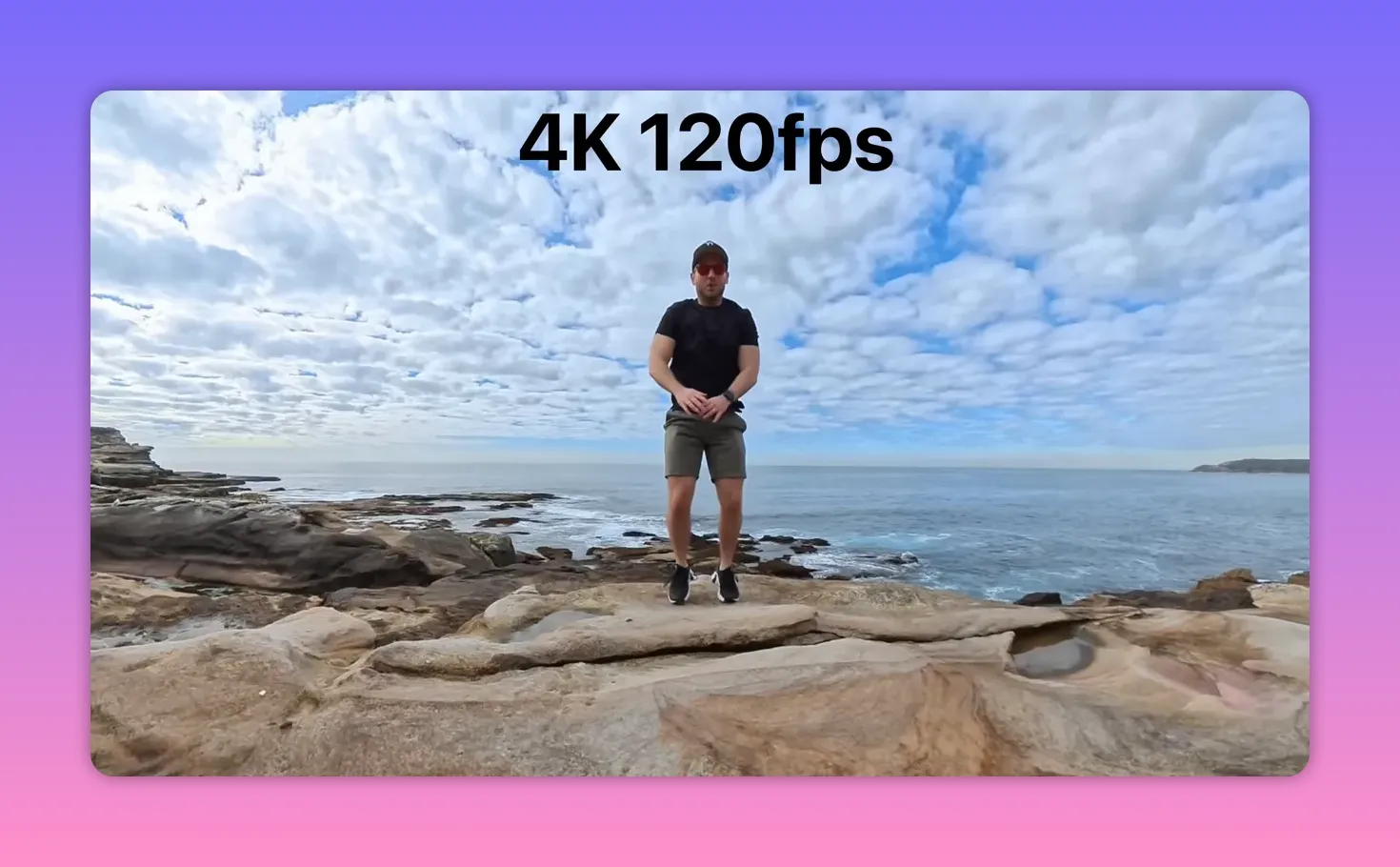
The X5 offers 120fps slow motion in 4K. It isn’t the absolute sharpest slow-motion on the market, but for short creative clips it works extremely well: motion is smooth and usable for storytelling, social clips, or B-roll. Don’t expect cinema-level slow-motion fidelity, but for most creators the 120fps option is a practical, handy tool.
How good is the in-built microphone? Is it usable for run-and-gun scenarios?
Audio has improved over prior models. The onboard mics capture usable outdoor audio in light wind conditions and provide a clean ambient track for many casual shooting situations. If you need broadcast-quality audio you’ll still want an external mic, but for vlogs and quick captures the in-built audio is a notable step forward and recorded better than previous Insta360 units in my tests.
Low light performance: does the Insta360 X5 really stand out?
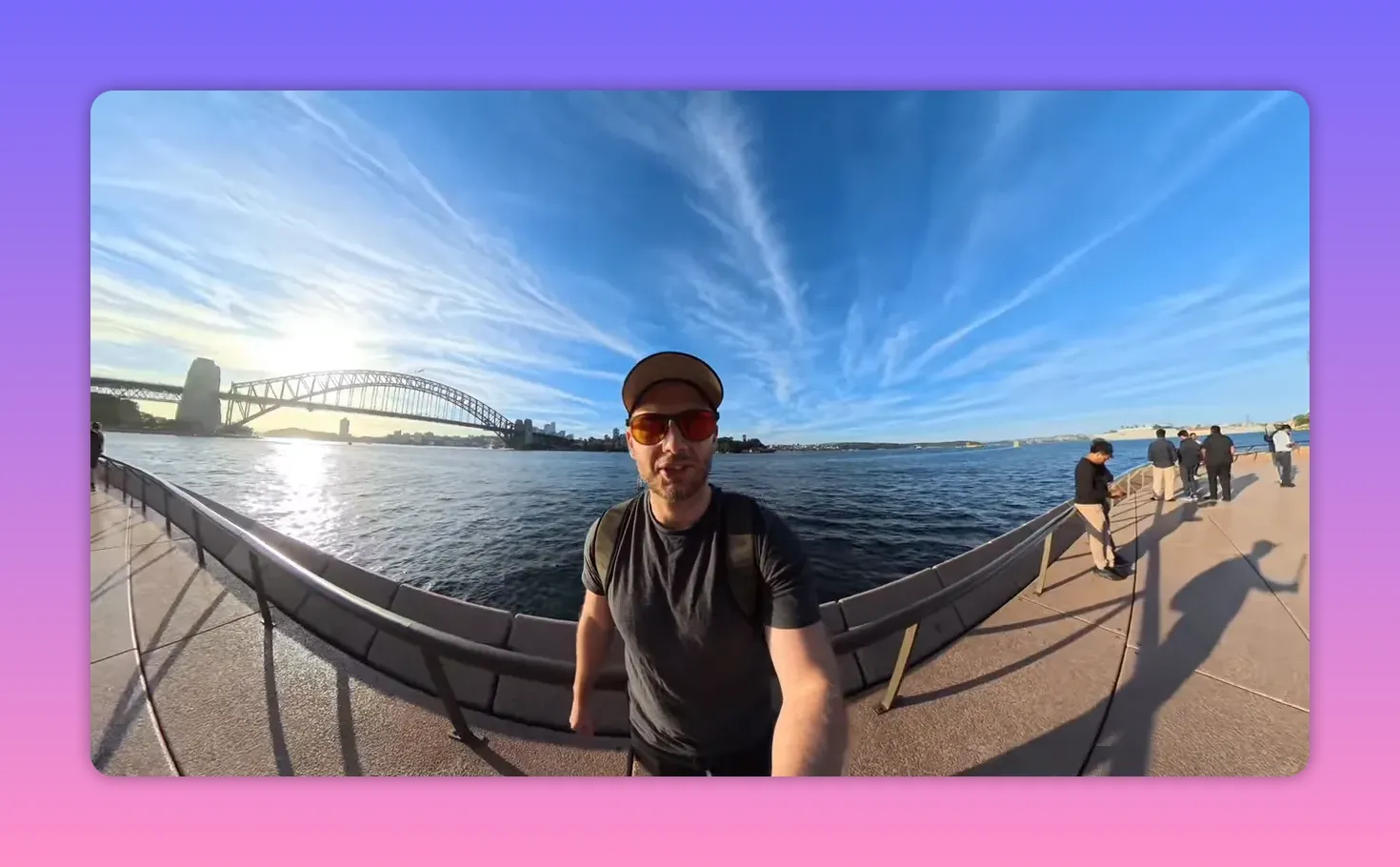
Yes. The X5’s low-light capability is one of its most impressive features — particularly when used with the new Pure Video mode. Pure Video is an AI-assisted low-light mode that optimizes exposure and noise handling without manual tinkering. In many night scenes Pure Video captured brighter, cleaner footage with less motion blur and visible grain compared to standard video mode. That makes the X5 a very attractive option for creators who shoot a lot of night footage or operate in mixed lighting environments.

Be realistic though: if you heavily zoom into Pure Video footage, fine detail can appear soft or “mushy.” But for normal wide-angle 360 outputs, Pure Video is a breakthrough in convenience and low-light usability.
How reliable is the stitching and what about the seam line?
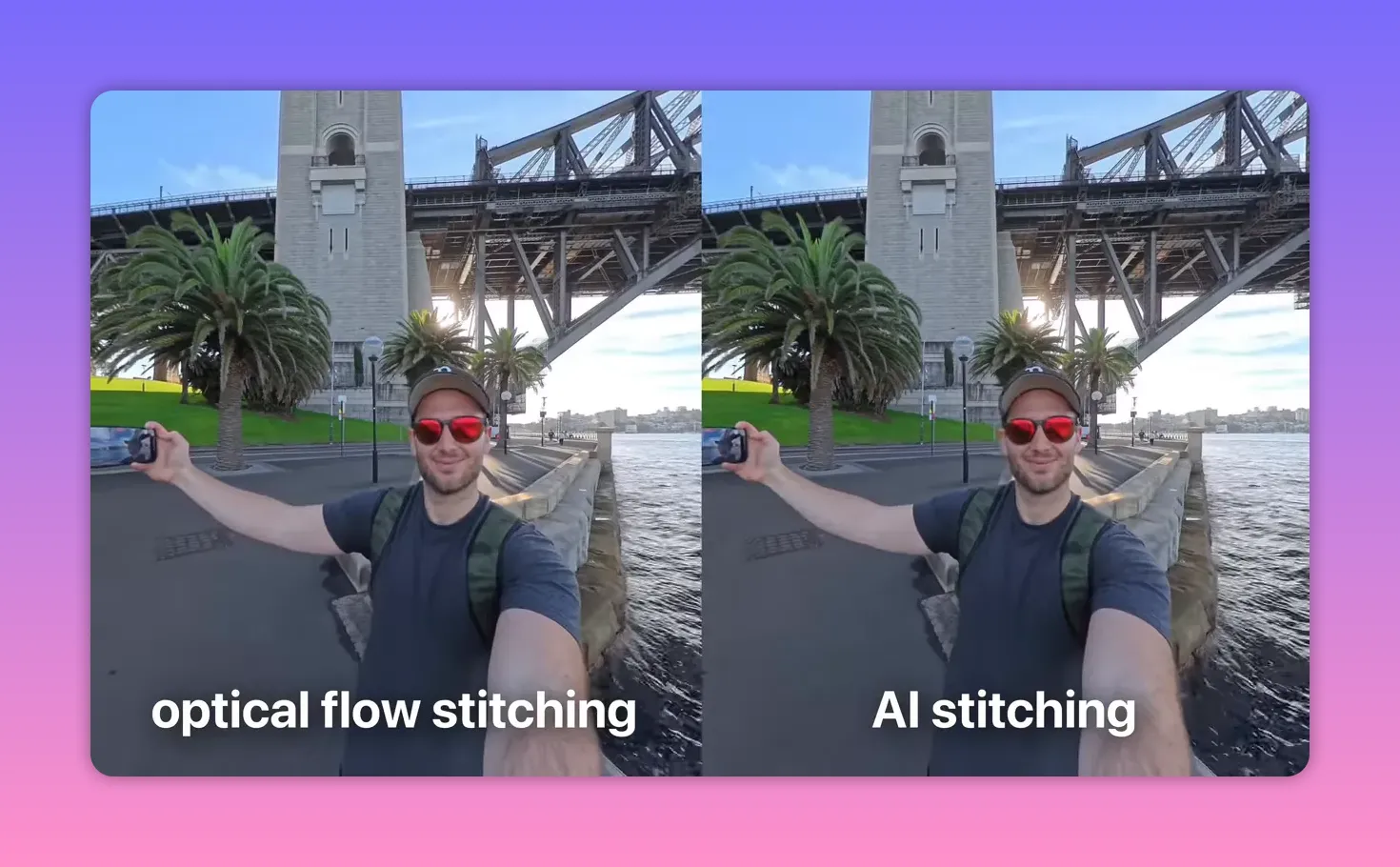
Stitching on the X5 is generally strong. If you put the seam close to subjects (for example, right over someone’s face) you can notice mismatches at very close distance. Insta360 provides two stitching approaches: optical flow stitching and a newer AI-based stitching. The AI stitching can produce different results and may be preferable in certain situations, but neither method is perfect for edge cases. As always with 360 capture, the simplest rule applies: keep subjects away from lens seams when you can.
How do colors and overall JPEG/RAW output perform straight out of camera?
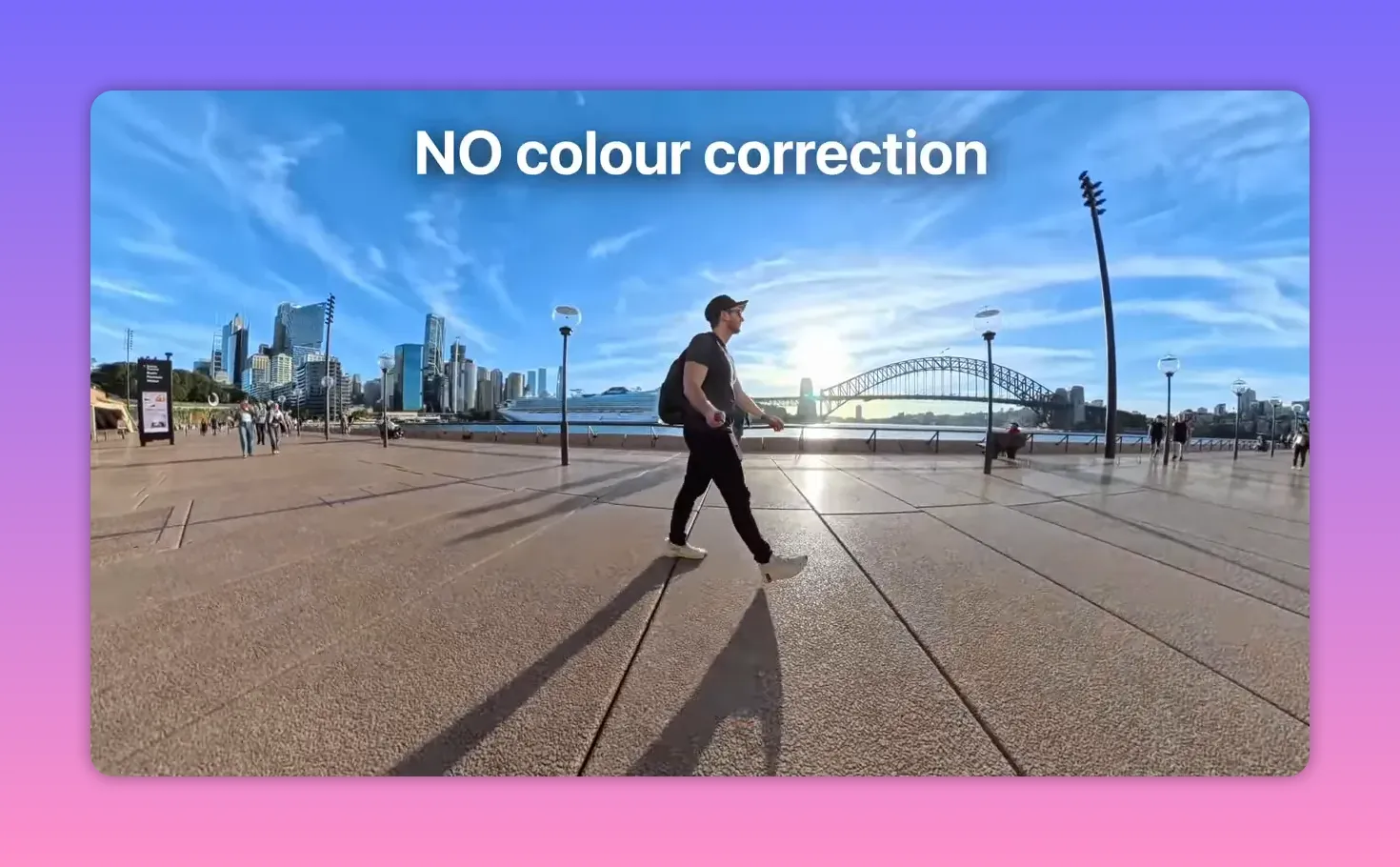
One of the most welcome aspects of the Insta360 X5 is how well footage and photos look straight out of the camera. Colors, contrast, and exposure are more balanced, meaning you often do not need to perform color correction. For creators who want an efficient workflow — shoot, reframe, and publish — this is a massive advantage. In my experience, the X5 is the first 360 camera I’ve used where I consistently felt comfortable skipping color grading altogether for many projects.
Does the Insta360 X5 overheat during extended recording — especially in 8K?
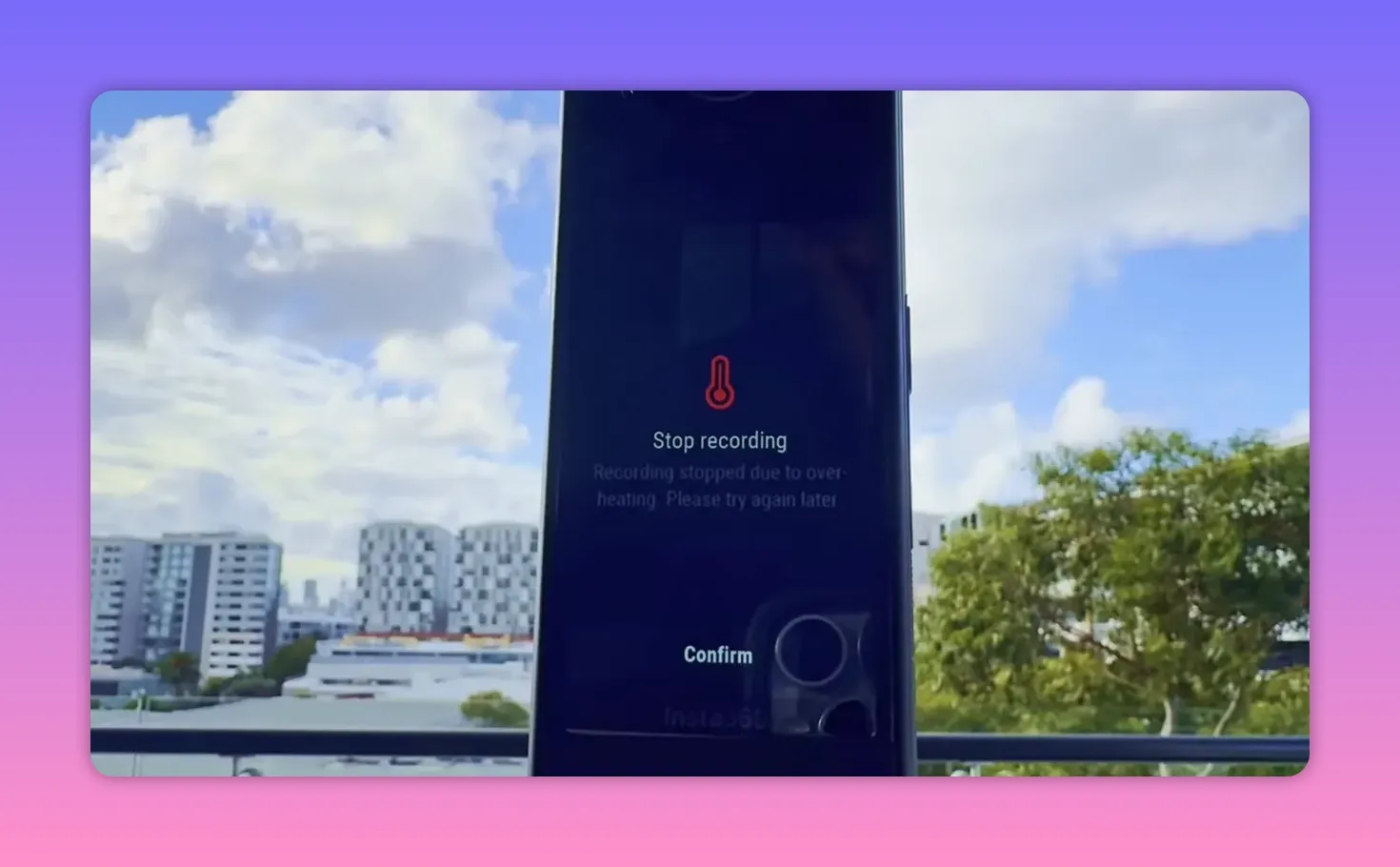
Overheating is always a concern for high-resolution capture. I tested continuous 8K recording in direct sun and the X5 lasted an impressive 1 hour, 17 minutes, and 58 seconds before overheating. That’s a strong result for continuous 8K capture, but real-world performance will vary based on ambient temperature and shooting conditions. If you’re shooting long sessions in hot environments, plan for breaks or use cooling strategies.
How does the X5 perform for 360 photography and virtual tours?
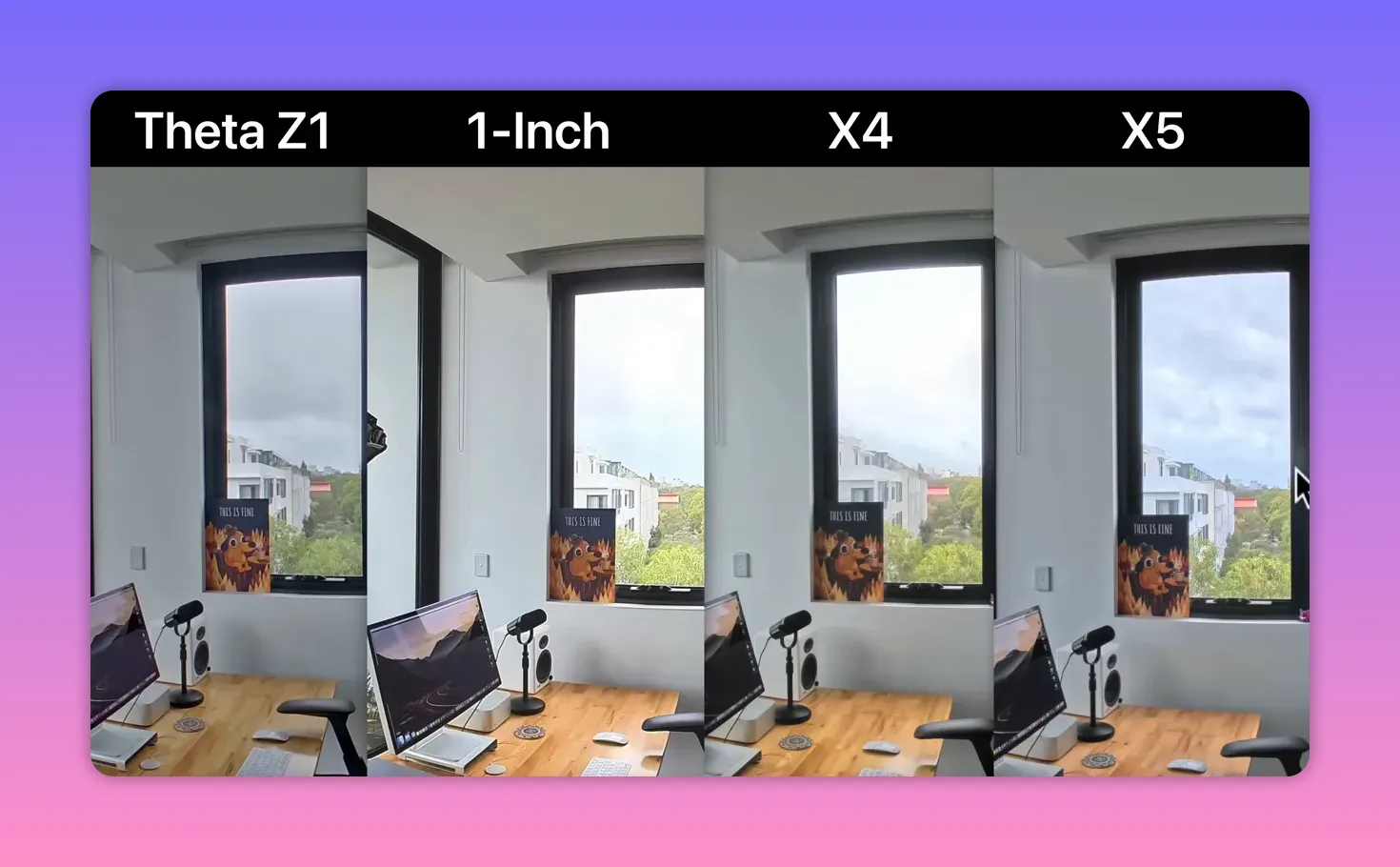
For 360 photography and virtual tours the Insta360 X5 is a very strong contender. In head-to-head photo comparisons with top alternatives (including a Theta Z1 and the 1 RS1), the X5 delivered better dynamic range and sharpness. Perhaps more critically for professionals, the workflow is streamlined: in-built HDR photo merging and instant processing in Insta360 Studio reduce time per pano from 10–15 minutes to under a minute. If you shoot virtual tours professionally, that workflow speed and good image quality make the X5 an attractive option for 2025 and beyond.
What about single-lens mode and Instaframe features?
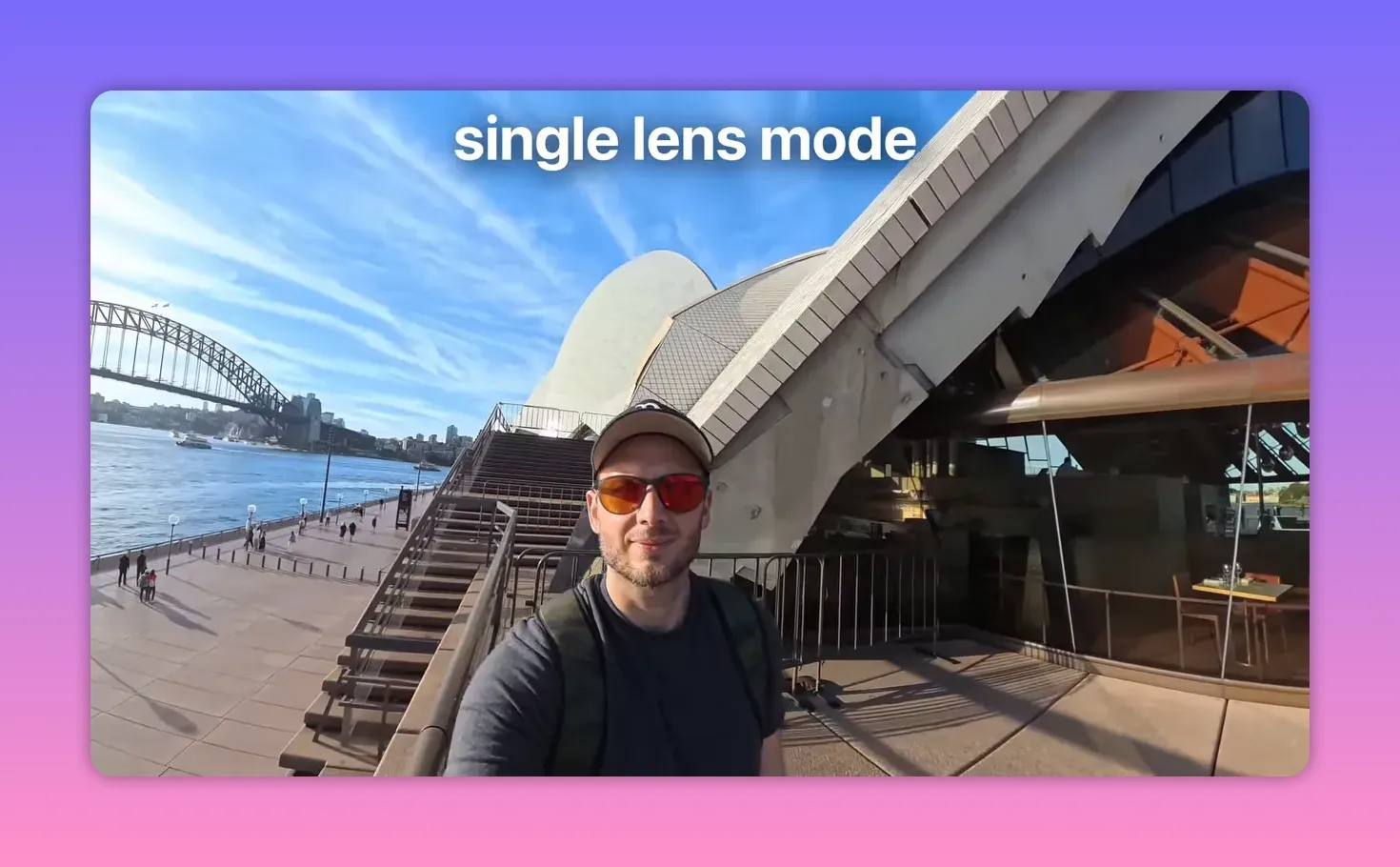
The X5 offers a single-lens shooting mode up to 4K60, producing attractive, fixed-lens footage suitable for action or POV shots. Horizons may wobble slightly — similar to single-lens action cameras — but the results are excellent for many social and adventure contexts. Insta360 also introduced Instaframe: a mode that records a pre-reframed, single-direction clip (for example, selfie view) alongside the full 360 capture. Instaframe is handy if you want a ready-to-publish directional clip without reframing later. It sometimes struggles to track very fast motion, but it’s convenient and records both the reframed clip and the full 360 file so you can re-edit later if needed.
How has Insta360 improved editing and workflow with the X5?
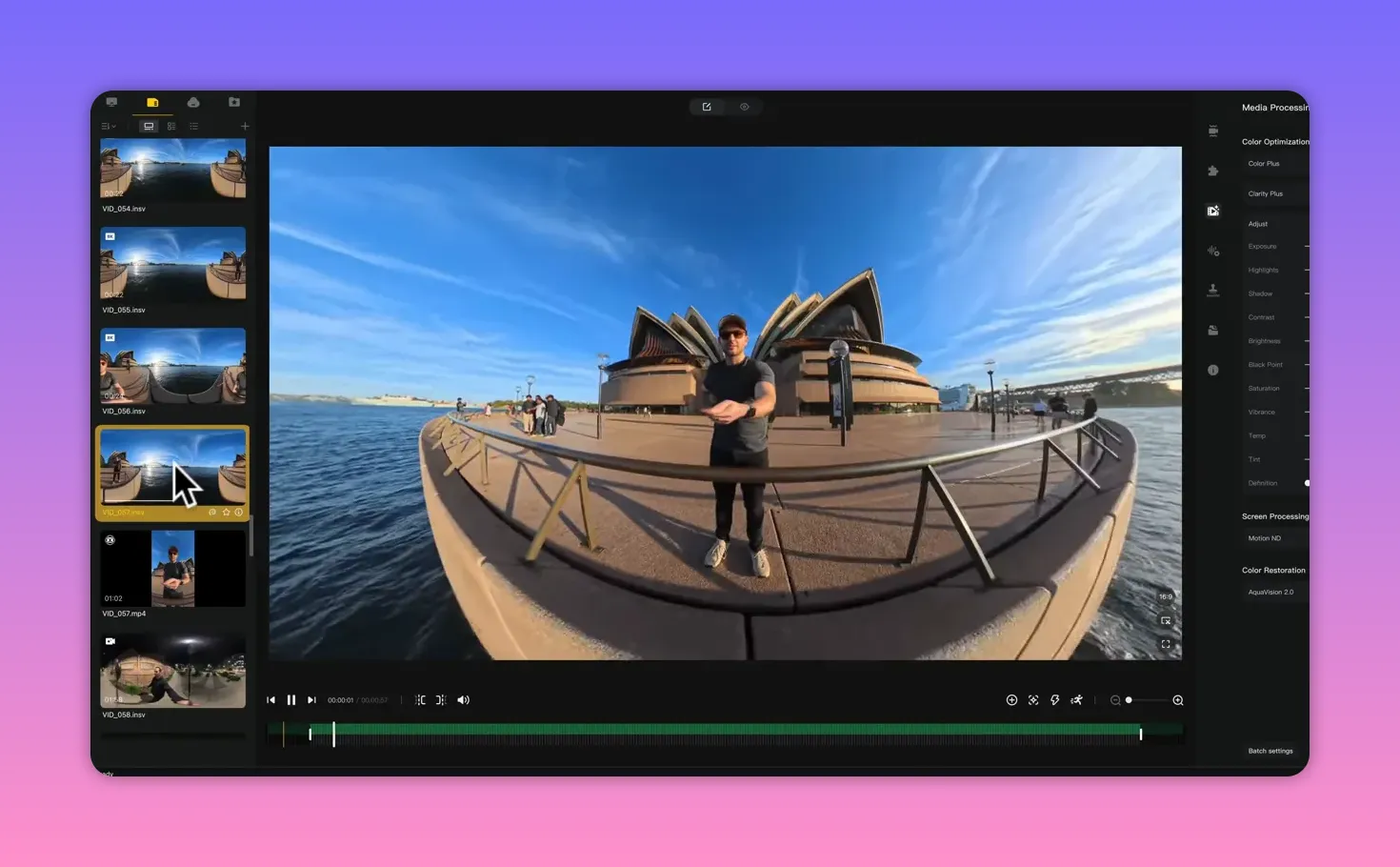
Insta360 has steadily refined their desktop and mobile software to simplify reframing and deliver one-click editing tools. For many creators the time-savings are real: automatic HDR merges, quick reframing templates, and faster preview-to-export cycles reduce friction. If your priority is getting content out fast — social, vlogs, or virtual tours — the Insta360 X5’s combination of good straight-out-of-camera color and faster software tools equates to a shorter overall production cycle.
Is the Insta360 X5 worth the $550 price tag?
Value is subjective and depends on your starting point. At $550 the X5 is the most expensive “X” model to date, but the sensor improvement, replaceable lenses, better low-light performance, and workflow enhancements justify the price for many users. If you’ve never owned a 360 camera, the Insta360 X5 is a strong, no-brainer entry purchase. If you own older models like the X3 or 1 RS1, the X5 offers a meaningful upgrade. If you're on an X4, the leap is smaller — the X4 still shoots excellent content, so I’d probably recommend waiting for the X6 unless you need the X5’s specific improvements now.
Who should buy the Insta360 X5, and who should wait?
Buy the Insta360 X5 if:
- You’re new to 360 and want a camera that’s beginner-friendly with great straight-out-of-camera results.
- You shoot a lot of low-light scenes or night footage and value Pure Video.
- You do virtual tours and need fast HDR photo workflow.
- You want replaceable lenses for durability and long-term peace of mind.
- You already own an X4 and are happy with its output — the X5 isn’t a dramatic enough jump to justify immediate upgrade for most X4 users.
- You require the absolute highest-resolution one-inch sensor still used by dedicated competitors for certain niche uses.
Are there any ethical or trust concerns prospective buyers should consider?
Yes — and it’s an important one. The Insta360 X5 launch has been accompanied by a flood of sponsored reviews and suspicious comments across social platforms. As a viewer, treat sponsored reviews with caution because paid agreements often bias the message toward positives. I’ve also observed comments that appear planted or inauthentic around product pages and videos. While this doesn’t change the X5’s technical merits, it does underscore the importance of sourcing unbiased information. I recommend relying on independent, unsponsored reviews — like this one — and testing the camera for your own workflows before deciding.
What practical tips do you have for someone buying and using the Insta360 X5?
1. Buy the lens replacement kit (or get it free through trusted promos) — it’s cheap insurance.
2. Shoot 5.7K 60fps with Active HDR for natural, realistic motion and strong dynamic range.
3. Use Pure Video for low-light walks and night scenes, but avoid heavy zooms on Pure Video footage.
4. Keep subjects away from lens seams to minimize stitching artifacts.
5. Use Insta360 Studio for HDR merges to dramatically speed up virtual tour and pano workflows.
6. Plan for overheating on very long continuous 8K shoots, especially in hot climates.
Table of Contents
FAQ
Is the Insta360 X5 a major upgrade over the X4?
The X5 offers notable improvements — a larger dual 1/1.28" sensor, replaceable lenses, and better low-light performance. However, if you own an X4 the upgrade is incremental in many day-to-day use cases, so waiting for a future model may be wise unless you specifically need the X5’s low-light or lens-replacement features.
How good is the Insta360 X5 in low light?
Low light performance is one of the X5’s strongest selling points. Pure Video mode significantly improves exposure and reduces grain for wide-angle night shots. Expect better night captures than previous Insta360 models, but avoid heavy zoom-ins on Pure Video footage where softness may appear.
Does the Insta360 X5 overheat when shooting 8K?
In my continuous 8K stress test under direct sun the X5 overheated after about 1 hour 17 minutes, which is impressive for continuous 8K. Real-world times will vary with temperature and use patterns, so plan accordingly.
Can the lens be replaced if the Insta360 X5 lens is damaged?
Yes. The X5 supports replaceable lenses and ships with a simple replacement tool kit. Lenses are inexpensive, and swapping takes about 20 seconds, dramatically reducing downtime and repair costs.
Is the Insta360 X5 suitable for professional virtual tours?
Absolutely. The X5’s photo quality, dynamic range, and instant HDR merging in Insta360 Studio make it an excellent option for virtual tours, especially where speed of production is critical.
Should I trust sponsored reviews of the Insta360 X5?
Exercise caution. Sponsored reviews can be biased toward positives. Seek out unsponsored, independent tests and compare multiple sources before making a decision. The X5 itself is technically strong, but marketing noise can obscure meaningful differences.
Which shooting mode should I choose for the best balance of quality and motion?
For realistic motion and crisp output, shoot 5.7K at 60fps with Active HDR enabled. If you need maximum detail in static or slowly moving scenes, use 8K 30fps. For slow motion, use 4K 120fps.
Does the Insta360 X5 need color grading?
In many cases no — the camera’s color profile and exposure are excellent straight out of camera, reducing or eliminating the need for color grading for routine social or tour work.
Are the new Insta360 X5 accessories compatible with older models?
Body-fitting accessories designed for the X5 will likely not fit older models due to design changes. Standard accessories like tripods and selfie sticks remain compatible.
Is the Insta360 X5 worth $550?
For new buyers, virtual-tour professionals, and creators prioritizing low-light performance and durability, yes. For X4 owners the upgrade may not justify the cost unless you specifically need X5 improvements.
Final thoughts
The Insta360 X5 is a genuinely compelling 360 camera that addresses long-standing pain points — most notably lens durability and low-light capability — while polishing the software and user experience to speed up real-world workflows. It’s not a revolution in resolution, but it is a meaningful evolution in image quality, convenience, and long-term ownership. If you care about quick turnaround times, cleaner night footage, and future-proofing with replaceable lenses, the Insta360 X5 deserves serious consideration. If you already own an X4 and are satisfied with current output, you can comfortably wait for the next generation.
For anyone weighing purchase decisions, the best approach remains practical: identify the most important features for your work (low light, workflow speed, replaceable parts) and prioritize those. The Insta360 X5 checks many boxes, but like any tool, it’s worth matching its strengths to your needs.
SEO is LIVE |
|
Check out this really cool SEO websites |
| Do NOT Click me |
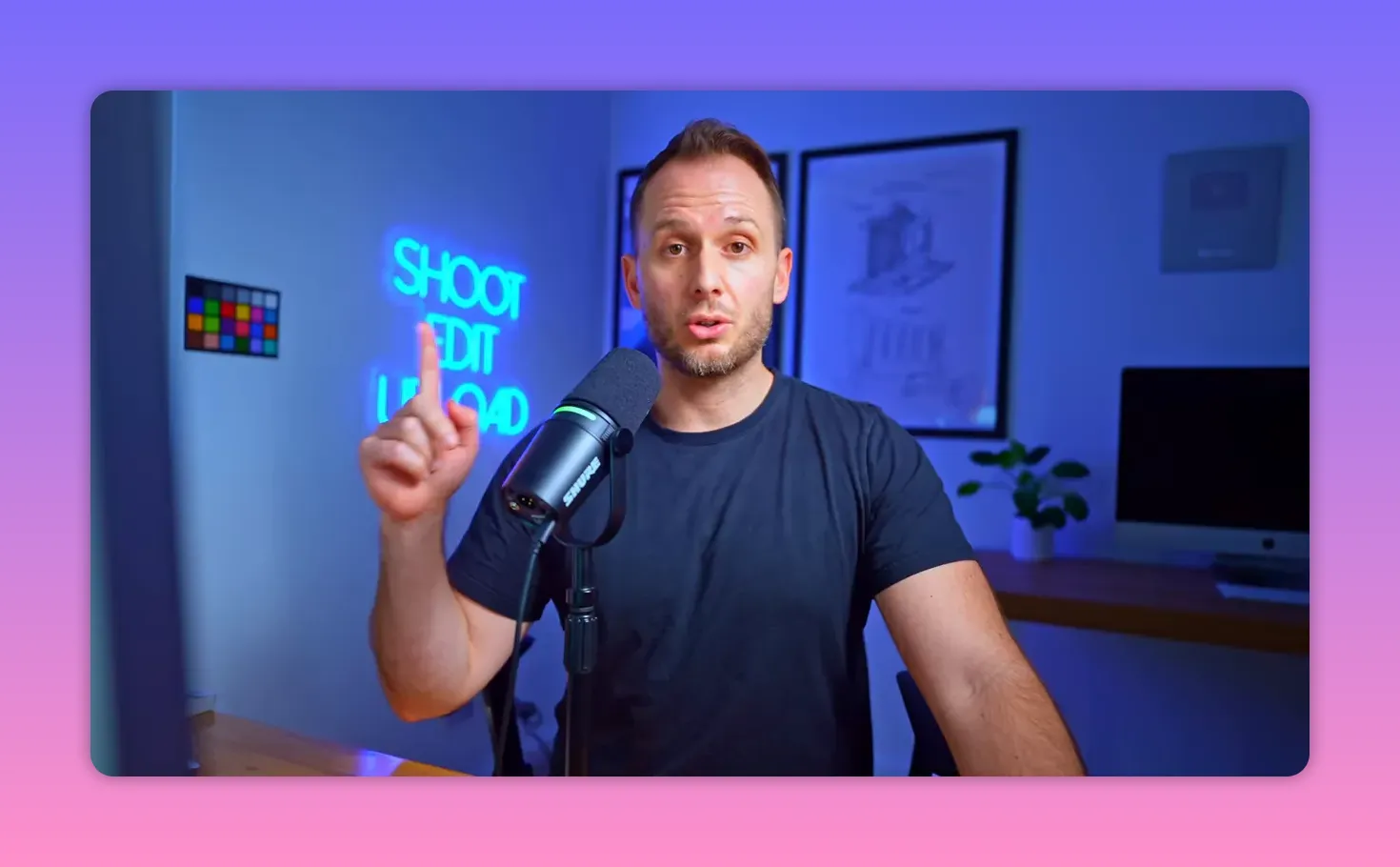
This article was created from the video Insta360 X5: The HONEST review you’ve been waiting for… with the help of AI.

Comments
Post a Comment